Guide · QR codes
QR codes that never expire: static vs dynamic
If you've ever printed QR codes and later found they lead to an error page or a 'subscribe to reactivate' screen, you've met a dynamic QR code. Here's how to avoid that.
Static vs dynamic
Static QR code
- Your link is stored directly in the pattern of the code.
- Works forever, as long as the page it points to exists.
- No account, subscription or middleman.
- Downside: to change the destination, you print a new code.
Dynamic QR code
- The code holds a short link on the generator company's server, which forwards to your page.
- You can change the destination later and see scan counts.
- Downside: if the company shuts down, changes plans or your subscription ends, every printed code breaks.
Many "free" generators make dynamic codes by default. They work fine at first, then stop after a trial period.
Get the best of both
Make a static code that points to a page you control, like your own website, a link-in-bio page or a profile. The code itself never changes, but you can update what's on that page whenever you like. No subscription, and nothing breaks if a QR company goes away.
A link-in-bio page like Linktree works well for this. Its free plan lets you put many links on one page (your shop, socials, contact info, a menu) and add, remove or reorder them whenever you want. Point your QR code at your Linktree page once, and the code stays good no matter how often you change the links.
Where to make a free permanent QR code
Adobe Express has a free QR code generator that makes permanent, static codes, with no trial or subscription to run out. If a generator ever offers a choice between "static" and "dynamic," pick static for a code that lasts forever.
Before printing, scan the code and check where it actually goes. If it opens a short link on the generator's own domain first, and not your page directly, it's dynamic.
Tips for codes that scan every time
- Size for distance. A rough rule: a code scans from up to about 10 times its width. A 1-inch code is great at arm's length, but not across a room.
- Keep contrast high. Dark code on a light background works best. Avoid light-on-dark or busy backgrounds.
- Leave a quiet border. Keep a clear margin around the code; cropping it too tight causes misreads.
- Shorter links scan easier. Long links make denser codes that are harder to read when small.
- Test before you print a batch. Scan with both an iPhone and an Android phone.
Good uses for small QR stickers
- Lost and found: on cameras, cases, keys and drones, pointing to a page with a way to reach you. Use a contact form or email rather than posting your phone number.
- Business: on packaging, products or cards, linking to your shop, reviews or instructions.
- Gear and inventory: link to manuals, setup videos or a maintenance log.
- Events and menus: Wi-Fi details, schedules or a menu page.
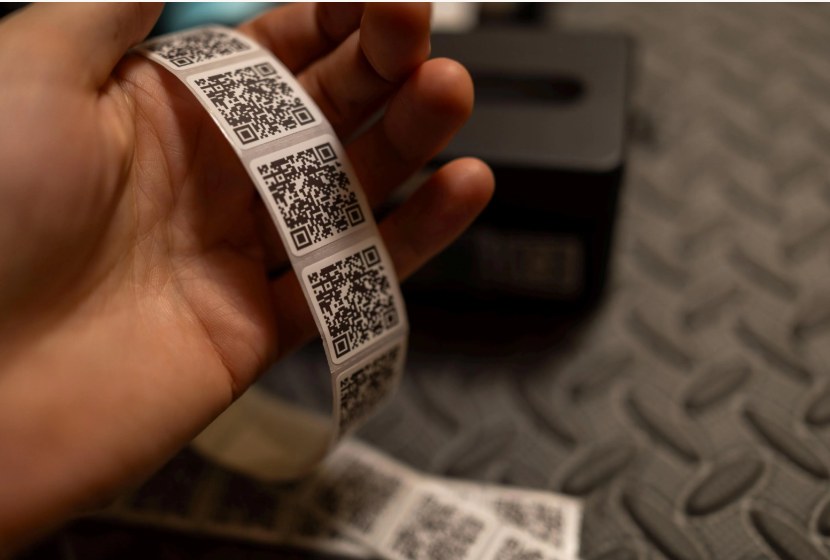
BTL QR stickers are static, waterproof and 1 inch square, made with the exact link you choose.
Questions
Do QR codes expire?
Static QR codes never expire; they work as long as the page they point to exists. Dynamic QR codes can stop working if the generator's service or your subscription ends.
Why did my QR code stop working?
Most likely it was a dynamic code from a generator whose trial ended or service changed, or the page it points to was removed.
Can I change where a static QR code goes?
Not the code itself, but you can point it at a page you control, like your website or a Linktree page, and update that page anytime.
Where can I make a free permanent QR code?
Adobe Express has a free QR code generator that makes static codes, which don't expire. If a generator offers static or dynamic, choose static.
How far away can a 1-inch QR code be scanned?
Roughly up to 10 inches, about 10 times its width, depending on the phone and lighting.