Guide · Ray-Ban Meta
Ray-Ban Meta LED covers: why your glasses say the camera is blocked
If you've put a sticker or cover over the LED on your Meta glasses, you've probably seen the glasses refuse to take a photo or video. That's by design, and it's why most covers don't work.
Why the glasses refuse to record
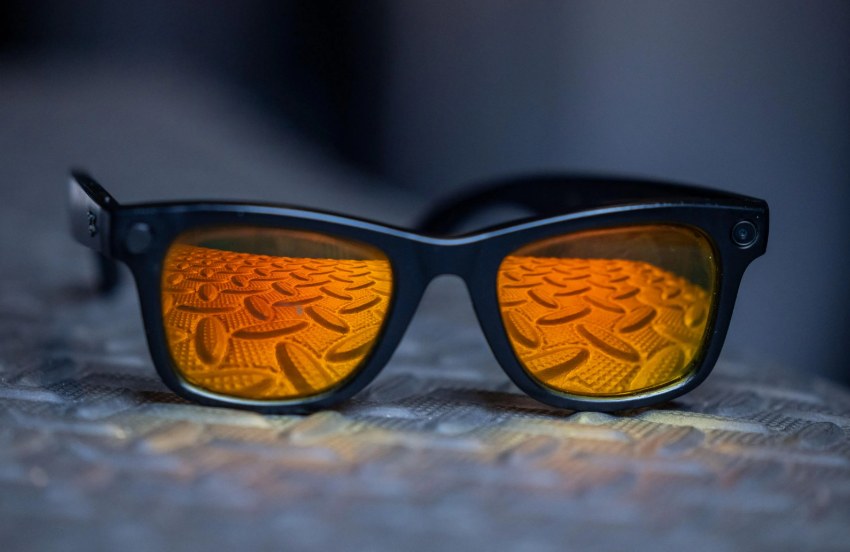
The front of the glasses has a camera on one side and the capture LED, next to a small light sensor, on the other. Before capturing, the glasses compare how much light each side sees. If the LED side is much darker than the camera side, they assume the LED is covered and won't take the photo or video until it's cleared.
That's why a solid sticker, tape or a fully opaque cap almost always fails: it blocks all light to the sensor, so the check fails every time.
What a cover needs to work
- Let some light reach the sensor. A cover with small side openings lets enough ambient light in that the light levels stay close, so the check passes, while still softening the bright LED glare in front.
- Fit your exact frame. The LED and sensor sit in slightly different spots on different styles and generations. A cover made for one frame often sits wrong on another.
- Don't scratch or leave residue. Look for snap-on fits, or removable glue on a separate base, rather than permanent adhesive on the frame.
Which BTL cover fits your glasses
- Gen 1 and Gen 2 (Wayfarer, Skyler, Headliner, Oakley Meta): the snap-on 10 pack. No glue, with side holes sized for the light sensor.
- Gen 3 (Blayzer, Adventurer, Scriber, Fury and other Gen 3 frames): the Gen 3 multi-pack. A small base attaches with the included removable, flexible glue, and covers clip onto the base.
If you still see the warning
- Check the cover is seated straight and not pressed over the sensor area.
- Very dark rooms make the comparison harder. Try in normal light first.
- Clean the lens and sensor area. Smudges can change the reading.
- Make sure the cover matches your frame generation.
Use it responsibly
The LED exists to let people around you know when you're recording. A cover is meant to tone down the glare and distraction of the light, not to record people without their knowledge. Recording and consent laws vary by place, so know the rules where you are.
Questions
Why won't my Ray-Ban Meta glasses take photos with the LED covered?
The glasses compare light on the camera side with light at the LED's sensor. If the LED side is much darker, they assume it's covered and block capture.
Do LED covers work on Ray-Ban Meta glasses?
Only covers that still let some light reach the sensor next to the LED. Solid stickers and tape usually trigger the blocked warning.
Which cover fits Gen 3 frames?
Gen 3 frames such as Blayzer, Adventurer, Scriber and Fury need a Gen 3-specific cover, like the BTL Gen 3 multi-pack.
Will a cover damage my glasses?
BTL Gen 1/Gen 2 covers snap on with no glue. Gen 3 covers clip onto a base attached with removable, flexible glue.