Guide · Photography gear
The best way to carry SD and microSD cards
Memory cards are tiny, easy to lose and hold work you can't replace. The best way to carry them depends on how many you need and how often you're out shooting.
The real problem: no card when you need one
Most shoots don't end because of bad light or a dead battery. They end because of the card:
- You left it at home. Still in the laptop's card reader, on the desk, or in yesterday's bag.
- You ran out of space. The card fills up mid-shoot, especially with 4K video, high frame rates or raw photos, and there's nothing to swap in.
- It failed. Cards occasionally corrupt or stop working, often at the worst moment.
The fix is simple: keep backup cards on you all the time, somewhere you never leave without. A spare in your camera bag doesn't help when the bag stays home. A spare on your keys goes everywhere you do.
Your options
- The plastic case the card came in. Free and protective, but bulky with more than a couple of cards, and easy to leave behind.
- A card wallet or hard case. Holds 10 to 20+ cards and protects them well. Best for a camera bag on long shoots, but it stays in the bag.
- A keychain holder. Holds a few cards and goes wherever your keys go, so you always have a spare. Best for everyday carry, drones, action cams and quick shoots.
- Loose in a pocket. Please don't. microSD cards especially vanish in pockets, washers and car seats.
Habits that save your footage
- Mark full cards. Pick a system, like flipping full cards upside down or storing them label-down, so you never format a card you haven't backed up.
- Back up before you reuse. Copy cards to two places before formatting them in the camera.
- Format in the camera, not on a computer. It's more reliable for that camera.
- Carry a spare. A card on your keys means a full or failed card never ends a shoot.
- Mind heat and moisture. Don't leave cards in a hot car, and keep them dry.
Bonus: share your work with a tap
The BTL SD card keychain has an NFC chip sealed inside, and it's best used for marketing and sharing. Write your portfolio, Instagram, booking page or digital contact card to it, and anyone can tap their phone to the keychain to open it instantly: no spelling out your handle, no business cards, no fumbling with QR codes.
- Meeting clients or other creators at shoots, events and meetups.
- Growing your socials: one tap opens your profile, ready to follow.
- Sharing contact info quickly and smoothly, and you can change the link anytime.
As a side benefit, if you ever lose your keys, whoever finds them can tap to see whose they are. See the NFC setup guide to set it up in a minute.
The BTL keychain
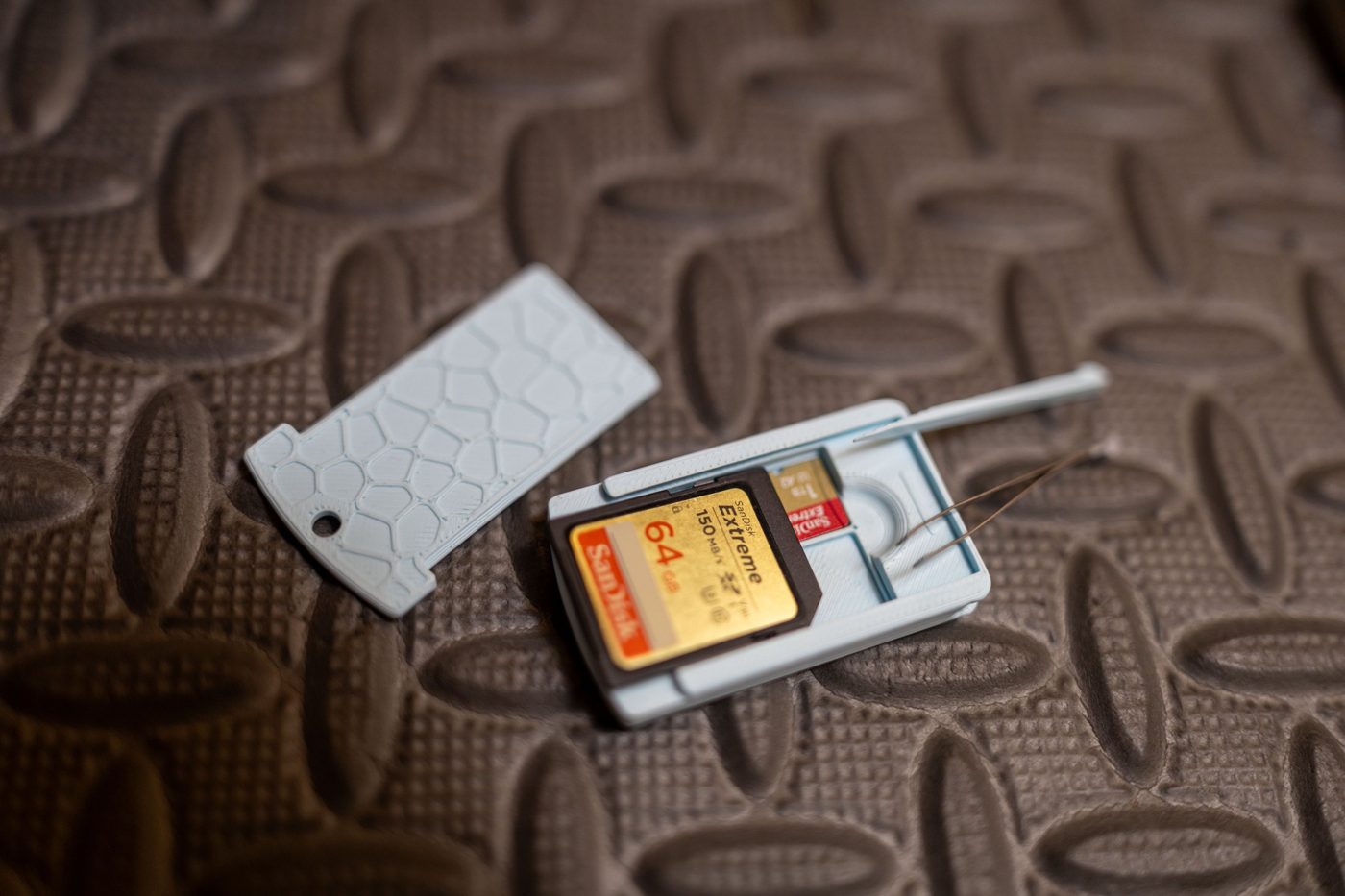
The SD card keychain holds 4 microSD cards and 1 full-size SD card (or a microSD adapter), plus tweezers and a toothpick, with the NFC chip sealed inside. It's made so your spares live on your keys, so you always have a backup when you forget a card or run out of space. Cards aren't included.
Questions
What should I do if I forget my SD card at home?
Avoid it by keeping a backup card somewhere you always carry, like your keys. A keychain card holder means you always have a spare when you forget a card or run out of space.
What's the best way to carry microSD cards?
In a dedicated holder rather than loose: a card wallet for many cards in a bag, or a keychain holder for a few spares you always have with you.
How do I keep track of which SD cards are full?
Use a consistent system, like flipping full cards upside down in your holder, and back them up before formatting.
Should I format SD cards in the camera or on a computer?
In the camera. It sets the card up the way that camera expects and is generally more reliable.